

You’re looking at cameras, comparing specs, and trying to figure out which system actually holds up in a real commercial environment instead of a residential living room. Finding the best commercial security camera systems for 2026 means sorting through resolution claims, storage options, and integration requirements that most review sites gloss over. That’s a real problem when a bad install choice means blind spots at your loading dock or footage that’s useless six months later when you need it for a claim.
This list answers the question directly: which systems perform best for hospitals, hospitality properties, multifamily campuses, and government facilities in 2026. We’ve ranked these based on video quality, network resilience, storage architecture, and how well each system plays with existing IT infrastructure, not just marketing specs.
Below you’ll find ten systems worth your budget, broken down by use case so you can match the right one to your building type. We also cover what separates a professional installation from a plug-and-play kit, because even the best camera underperforms with poor cabling or a rushed headend buildout. If you manage IT for a facility that can’t afford downtime or gaps in coverage, this guide gives you a real starting point for your security camera systems decision instead of another generic top-ten list.
1. Custom-built systems from a design-build integrator
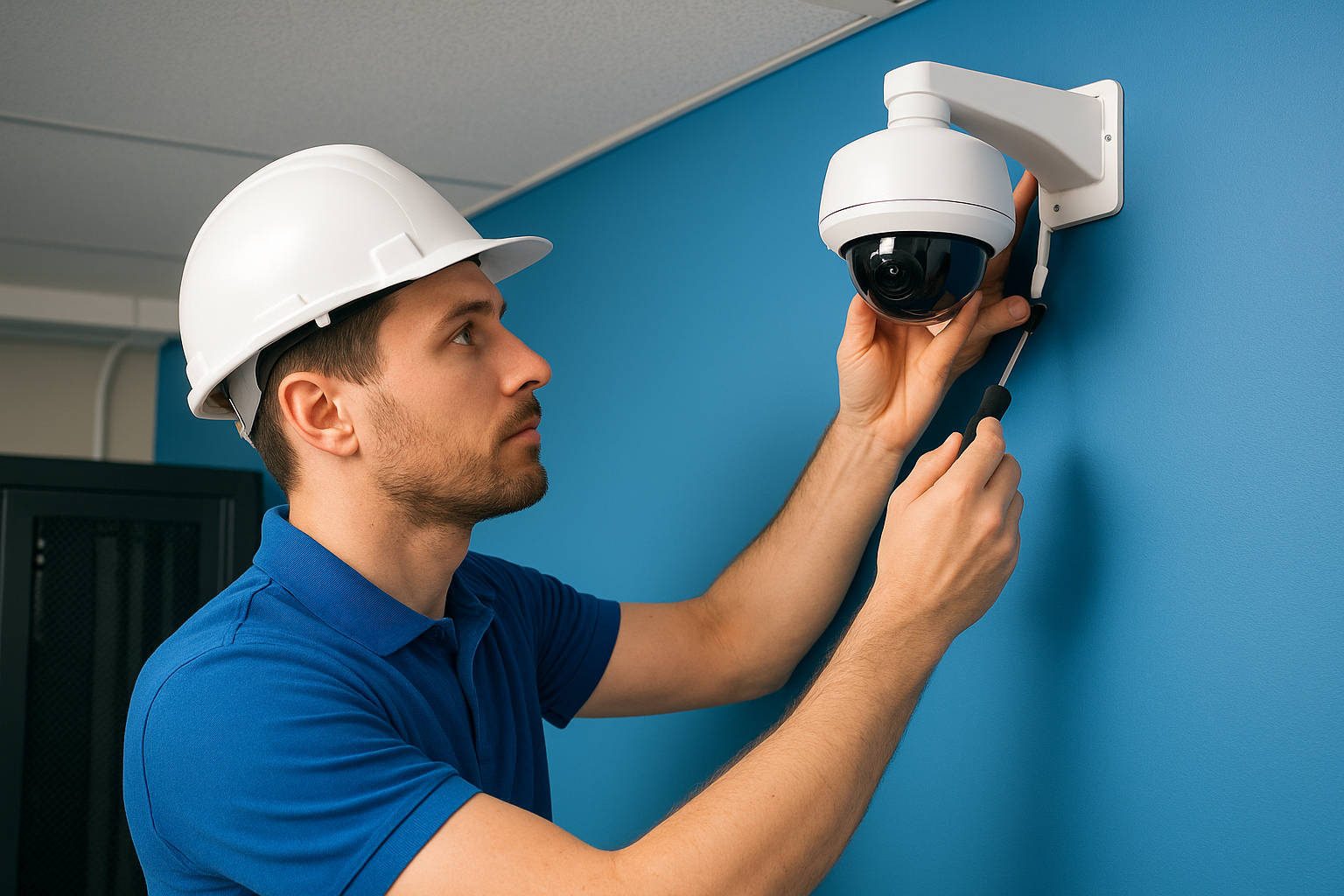
Before you fall in love with a brand name, understand that the best commercial security camera systems for hospitals, hospitality properties, and government facilities often aren’t a single product line at all. They’re custom-built solutions assembled by a design-build integrator near you who selects cameras, storage, network gear, and cabling to match your building’s actual risk profile and infrastructure. This approach sits at the top of our list because it solves the problem every off-the-shelf kit creates: a mismatch between generic hardware and a facility with unique coverage, compliance, or bandwidth demands.
Key features
A design-build approach means every component gets chosen for a reason, not bundled because it ships together. Vendor-agnostic camera selection lets the integrator pull the right sensor for each zone, thermal for a perimeter fence line, low-light for a parking structure, high-resolution fixed lenses for a pharmacy counter, instead of forcing one camera model into every scenario.
- Custom coverage mapping tied to actual blind spots, not generic floor plan assumptions
- Integration with existing access control, nurse call, or POS systems already running on-site
- Storage architecture sized to retention requirements, whether that’s 30 days or a full year for regulatory compliance
- Structured cabling and headend buildout done to commercial standards, not consumer-grade Cat5
- Project management from initial site survey through final commissioning
A camera system built around your building beats a building forced to work around a camera system.
Best for
This model fits organizations where a boxed system simply won’t cut it. Hospital environments need camera placement that respects HIPAA-sensitive areas while still covering entrances, pharmacies, and equipment storage, which calls for a partner with hospital equipment installation experience. Government facilities issuing RFPs need a partner who understands procurement requirements and can document compliance at every step. Multifamily campuses and hospitality properties with sprawling footprints, multiple buildings, or phased construction also benefit, since a design-build integrator can scale the system as new buildings come online instead of ripping out and replacing equipment later.
Pricing
Given that every job is scoped individually, pricing for design-build camera systems runs a wider range than boxed kits, and that’s the tradeoff for getting a system sized correctly. A small commercial building with a dozen cameras and basic network video recording might land in the $15,000 to $30,000 range including cabling and labor. Larger facilities, hospitals, or multi-building campuses requiring structured cabling, headend buildout, and integration with existing systems commonly run into six figures. The variables that move the number most:
| Factor | Impact on cost |
|---|---|
| Number of camera endpoints | Scales linearly with hardware and labor |
| New vs. existing cabling infrastructure | New structured cabling adds significant labor cost |
| Storage retention length | Longer retention means more NVR/server capacity |
| Integration with access control or other systems | Adds licensing and configuration time |
| Government compliance requirements | May require additional documentation and testing |
Ask any integrator for a line-item quote, not a flat number, so you can see exactly where your budget goes.
Installation and integration considerations
Installation quality is where design-build systems separate from plug-and-play kits, and it’s also where projects go wrong if you hire the wrong crew. Qualified technicians who understand commercial-grade cabling standards, proper headend buildout, and network segmentation prevent the bandwidth bottlenecks and blind spots that plague rushed installs. Trindom Global handles exactly this kind of project through its design-build consultation and installation services, pairing certified teams with vendor partnerships so hospitals, hospitality properties, and government clients get a system engineered for their actual environment rather than a generic template. If your facility has unusual architecture, legacy wiring, or strict compliance needs, this is the route that avoids costly rework down the line.
2. Avigilon by Motorola Solutions
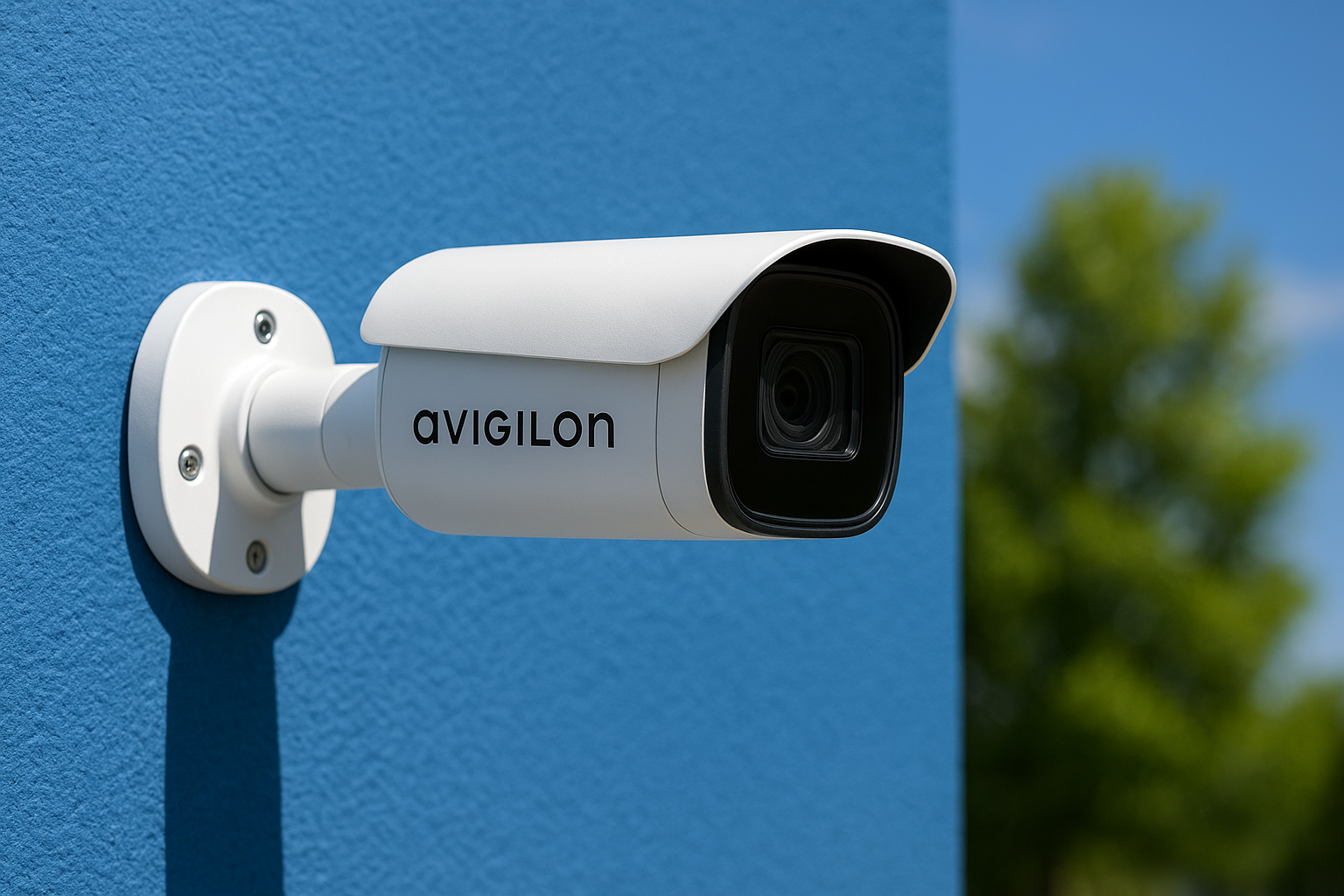
Avigilon built its reputation on analytics-driven video surveillance, and Motorola Solutions’ acquisition only strengthened that position with deeper integration into law enforcement and enterprise security ecosystems. This brand shows up on nearly every shortlist of top-rated commercial security camera systems because it pairs high-resolution imaging with AI-powered search that actually saves investigation time instead of just generating marketing claims.
Key features
Unusual Motion Detection and Appearance Search set Avigilon apart from cameras that simply record footage. Self-learning video analytics flag unusual activity patterns without requiring you to draw dozens of tripwires across a floor plan, and the Appearance Search function lets your security team find a specific person or vehicle across every camera on the network in seconds rather than scrubbing through hours of footage manually.
- AI-powered analytics for people and vehicle detection
- Appearance Search for rapid multi-camera investigation
- Wide dynamic range sensors built for challenging lighting
- Avigilon Control Center (ACC) software for centralized management
- Cloud and on-premises deployment options through Avigilon Alta
Good analytics don’t just record what happened, they help you find it fast when it matters.
Best for
Hospitality properties, large retail chains, and multi-building campuses benefit most from Avigilon’s analytics engine, since these environments generate enough camera volume that manual review becomes impractical. Organizations already running Motorola Solutions radios or public safety integrations also gain value here, since the ecosystem connects surveillance data with communication systems in ways standalone camera brands can’t match.
Pricing
Expect Avigilon hardware to sit in the premium tier compared to consumer-grade brands. Individual cameras typically range from $400 to $1,500 depending on resolution and analytics capability, while ACC software licensing adds ongoing cost per camera channel. A mid-sized commercial deployment with 20 to 30 cameras, software licensing, and NVR hardware commonly runs $40,000 to $80,000 before installation labor.
Installation and integration considerations
Network bandwidth planning matters more with Avigilon than with lower-resolution systems, since the analytics engine processes significant data per stream. Properly configured VLANs and adequate switch capacity prevent the dropped frames that undermine both live monitoring and evidentiary footage quality. Facilities considering Avigilon should also plan for PoE+ switch infrastructure and low-voltage wiring, since higher-end camera models draw more power than standard PoE budgets allow. Working with an integrator experienced in Motorola’s ecosystem helps avoid the licensing and configuration missteps that turn a strong product into an underperforming installation.
3. Axis Communications
Axis Communications invented the first network camera back in 1996, and that engineering pedigree still shows in how the company builds hardware today. Open platform architecture is the defining trait here: Axis doesn’t lock you into proprietary software the way some competitors do, which makes it a favorite among integrators who need to match cameras to existing VMS platforms rather than rip and replace an entire ecosystem. For facilities searching for the best commercial security camera systems that won’t box them into a single vendor’s roadmap, Axis remains a benchmark.
Key features
Durability and image clarity define the Axis lineup more than flashy add-ons. Lightfinder technology delivers usable color video in near-total darkness, which matters for parking structures and loading docks where cheaper sensors go grainy or drop to black-and-white.
- Open API (VAPIX) compatible with dozens of third-party VMS platforms
- Lightfinder and Forensic WDR for low-light and high-contrast scenes
- AXIS Object Analytics for perimeter and intrusion detection
- Ruggedized housings rated for extreme temperatures and vandalism
- Long product lifecycle with firmware support spanning years, not months
An open platform means your camera investment outlives any single software vendor’s business decisions.
Best for
Government facilities and organizations with strict procurement rules gravitate toward Axis because the open architecture satisfies compliance requirements that demand vendor flexibility. Hospitals also lean on Axis for the same reason: when a facility already runs a VMS for access control or other building systems, Axis cameras slot in without forcing a software migration.
Pricing
Swedish engineering carries a price tag to match. Entry-level Axis fixed cameras start around $300, while advanced PTZ or panoramic models with built-in analytics can exceed $2,000 per unit. A commercial deployment of 25 cameras with licensing and an NVR typically lands between $35,000 and $65,000 before labor, putting it roughly in line with Avigilon but with more flexibility on software choice.
Installation and integration considerations
Flexibility comes with a tradeoff: Axis systems require more upfront configuration decisions than closed ecosystems. Choosing the right VMS, licensing tier, and storage architecture takes planning before the first camera goes on the wall. Integrators experienced with VAPIX integration can connect Axis cameras to access control, building automation, or existing network video recorders without the compatibility headaches that come from mismatched proprietary systems, which is exactly the kind of coordination a design-build firm handles as part of a larger infrastructure project.
4. Hanwha Vision
Hanwha Vision, formerly known as Hanwha Techwin, brings decades of manufacturing scale to the commercial camera market, and that scale translates into competitive pricing without cutting corners on core imaging quality. Formerly a division of Samsung’s electronics arm, the company now operates independently while still leaning on that manufacturing depth to produce cameras that compete directly with Axis and Avigilon at a lower price point. For facilities comparing commercial security camera brands on a tighter capital budget, Hanwha deserves a serious look.
Key features
Wisenet chipsets power the entire Hanwha lineup, giving the company tight control over image processing rather than relying on off-the-shelf sensor components. Wisenet 7 processing improves low-light performance and reduces bandwidth consumption through efficient compression, which matters when a facility is running dozens of cameras over existing network infrastructure.
- Wisenet 7 chipset for on-camera AI analytics and compression
- Wisenet Wave VMS with open architecture for third-party integration
- Multi-directional and panoramic camera options for wide-area coverage
- Built-in cybersecurity hardening including secure boot and encrypted firmware
- Broad lens and housing selection covering indoor, outdoor, and extreme environments
Solid engineering at a fair price beats a premium logo that stretches your camera budget too thin.
Best for
Multifamily residential campuses and mid-sized commercial properties get strong value from Hanwha, since the price point allows broader camera coverage without sacrificing image quality at common entry points and amenity spaces. Hospitality operators managing multiple properties also find Hanwha’s centralized Wisenet Wave management useful for overseeing cameras across several locations from one dashboard.
Pricing
Hanwha typically undercuts Axis and Avigilon by 15 to 30 percent on comparable hardware. Fixed cameras start around $200, with higher-resolution and PTZ models running $600 to $1,200. A 25-camera deployment with Wisenet Wave licensing and NVR storage commonly falls between $25,000 and $45,000 before installation labor, making it one of the more budget-friendly options among the enterprise-grade brands on this list.
Installation and integration considerations
Because Hanwha built Wisenet Wave on an open framework, integrators can pair the cameras with existing access control or third-party VMS platforms without major compatibility issues. Cybersecurity configuration deserves attention during setup, since default credentials and unpatched firmware are common attack vectors across the entire industry, not just Hanwha. Coordinating firmware update schedules and network segmentation during installation prevents these vulnerabilities from becoming a liability down the road, which is standard practice for any integrator handling a properly scoped commercial rollout.
5. Verkada
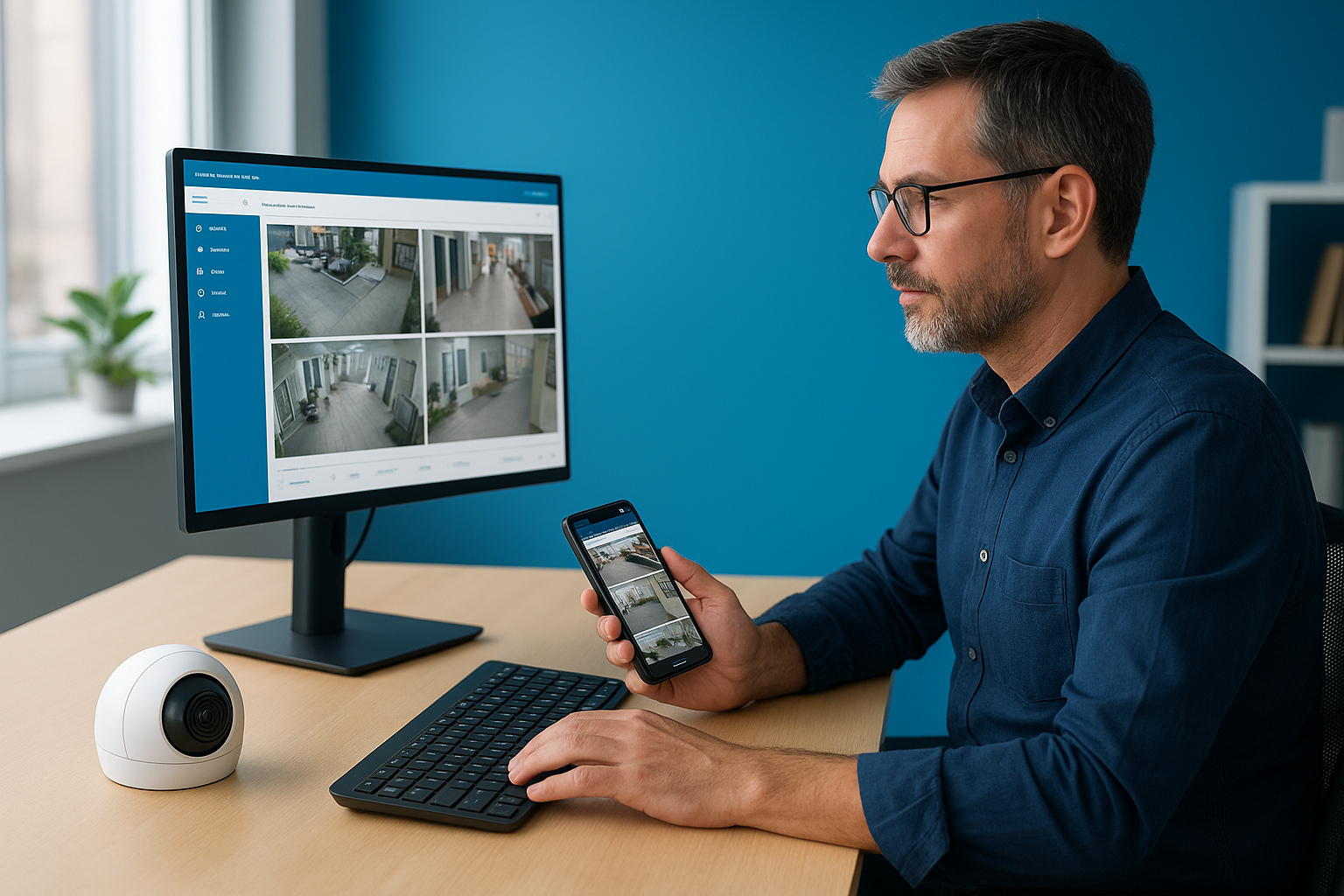
Verkada built its entire business model around cloud-first video surveillance, and that architecture choice shapes everything about how the system works. Cloud-managed video means no local NVR server room to set up, no VMS software to patch, and no VPN tunneling required to check footage from a second location. For facilities comparing the best commercial security camera systems on the basis of ease of management rather than raw hardware specs, Verkada consistently ranks near the top because IT teams without dedicated security staff can run it without a steep learning curve.
Key features
Simplicity drives the Verkada design philosophy more than any other brand on this list. Command, the cloud dashboard, lets a facility manager view every camera across multiple buildings from a browser tab, with no client software install and automatic firmware updates pushed remotely.
- Cloud-based Command platform with browser and mobile app access
- Built-in edge storage on each camera, reducing dependence on a central server
- People and vehicle analytics included standard, not sold as an add-on tier
- Access control, alarms, and environmental sensors integrated into one platform
- Automatic software updates with no on-site maintenance visits required
Cloud management trades some control for a system almost anyone on your team can actually run.
Best for
Multifamily property operators and hospitality groups managing several sites without a dedicated security department get the most value from Verkada. The platform also suits organizations that want camera, access control, and alarm systems unified under one login instead of juggling three separate vendor dashboards.
Pricing
Verkada sells cameras as a one-time hardware purchase paired with a mandatory annual software license, a model different from most competitors on this list. Camera hardware typically runs $500 to $1,800 per unit depending on resolution and analytics tier, and the Command license adds $150 to $300 per camera per year. A 25-camera deployment often totals $30,000 to $55,000 for the first year including licensing, with recurring annual license fees after that.
Installation and integration considerations
Bandwidth planning looks different with Verkada than with traditional NVR systems, since footage uploads to the cloud continuously rather than staying entirely local. Facilities with limited internet upload speed need that capacity assessed before installation, or footage retention and remote access suffer. Onsite edge storage helps bridge outages, but a reliable internet connection remains essential for the cloud features that make Verkada worth choosing in the first place. Because the license is mandatory and ongoing, budget for that recurring cost the same way you’d budget for any other annual IT contract.
6. Rhombus Systems
Rhombus Systems entered the cloud video surveillance space after Verkada and built its platform to compete directly on the same cloud-managed premise, but with a stronger lean toward physical security convergence. Cloud-native architecture underpins the entire product line, so facilities get remote access, automatic updates, and centralized management without racking a server closet full of NVR hardware. Among the best commercial security camera systems for organizations that want cameras, sensors, and access control under one roof, Rhombus earns its spot by making that convergence simpler than most competitors manage.
Key features
Unified security management sets Rhombus apart from camera-only vendors trying to bolt on extra hardware after the fact. On-camera AI processing handles person, vehicle, and license plate detection at the edge, which cuts down on the bandwidth every alert would otherwise consume if it had to round-trip through a cloud server first.
- Cloud console covering cameras, access control, sensors, and alarms in one dashboard
- Edge-based AI analytics for people, vehicle, and license plate recognition
- Environmental sensors for temperature, air quality, and motion built into the same ecosystem
- Automatic firmware and software updates pushed without site visits
- Open API for integrating with existing building management or access systems
When cameras, sensors, and access control share one dashboard, your team stops toggling between logins during an actual incident.
Best for
Government facilities and multifamily campuses that want a single vendor handling cameras, door access, and environmental monitoring gravitate toward Rhombus, since consolidating those systems cuts down on the vendor management overhead a facilities team otherwise juggles. Hospitality properties running multiple buildings on one campus also benefit, particularly where a smaller IT staff needs a platform simple enough to administer without dedicated security software training.
Pricing
Rhombus follows a similar hardware-plus-subscription model to Verkada. Camera units generally run $500 to $1,600 depending on resolution and analytics package, with software licensing adding roughly $150 to $250 per camera annually. A 25-camera deployment including first-year licensing commonly totals $28,000 to $50,000, with access control and sensor add-ons pushing that figure higher depending on how much of the ecosystem a facility adopts.
Installation and integration considerations
Since Rhombus pushes analytics to the edge rather than the cloud, bandwidth demands run lighter than some cloud-first competitors, which helps facilities with limited internet capacity. Teams still need adequate PoE switch capacity sized for camera count and future expansion, since underpowered switching creates the same bottlenecks regardless of brand. Coordinating the access control and sensor rollout alongside camera installation, rather than layering it in later, saves rework and gets the full platform running from day one.
7. Ubiquiti UniFi Protect
Ubiquiti built its reputation on affordable enterprise networking gear, and UniFi Protect extends that same value proposition into video surveillance. Self-hosted network video recording runs on Ubiquiti’s own hardware, the UniFi Protect console or a Dream Machine, giving smaller organizations enterprise-style features without the licensing fees that stack up with cloud-first competitors. Among commercial security camera systems for budget-conscious IT teams who already run UniFi networking gear, this is the natural extension of infrastructure they’ve already invested in.
Key features
Simplicity and integration with existing UniFi hardware define the Protect ecosystem. AI-powered smart detection flags people, vehicles, animals, and license plates without a per-camera subscription fee, a real departure from the licensing model most cloud vendors on this list require.
- Local NVR storage with no mandatory cloud subscription
- Smart detection for people, vehicles, and license plates included at no extra cost
- Native integration with UniFi switches, access points, and access control
- Mobile app and web dashboard for remote viewing
- Wide camera lineup spanning budget fixed lenses to PTZ and multi-sensor models
Owning your footage on hardware you control beats renting access to it every month.
Best for
Smaller commercial properties, single-location hospitality businesses, and multifamily buildings with a lean IT staff get the most value from UniFi Protect. It also suits organizations already running UniFi networking equipment for Wi-Fi and switching, since adding cameras to that same ecosystem means one vendor, one app, and one set of firmware updates to manage instead of three.
Pricing
UniFi Protect wins on cost more than any other brand covered here. Camera hardware ranges from $80 for basic fixed models to $500 for higher-resolution or PTZ units, and there’s no recurring software license. A 25-camera deployment with a Protect console or Dream Machine Pro and adequate storage typically totals $8,000 to $18,000 before installation labor, a fraction of what enterprise brands like Avigilon or Axis run for a comparable camera count.
Installation and integration considerations
Lower hardware cost comes with a tradeoff: UniFi Protect lacks the deep third-party VMS integrations and compliance documentation that hospitals and government facilities sometimes require for procurement. Storage capacity planning matters here too, since local NVR drives fill up faster than cloud storage and need proactive monitoring or drive upgrades as camera count grows. Facilities considering UniFi should also confirm their network infrastructure design keeps camera traffic isolated from other business systems, a step any experienced integrator builds into the design from the start rather than an afterthought.
8. Bosch Security Systems
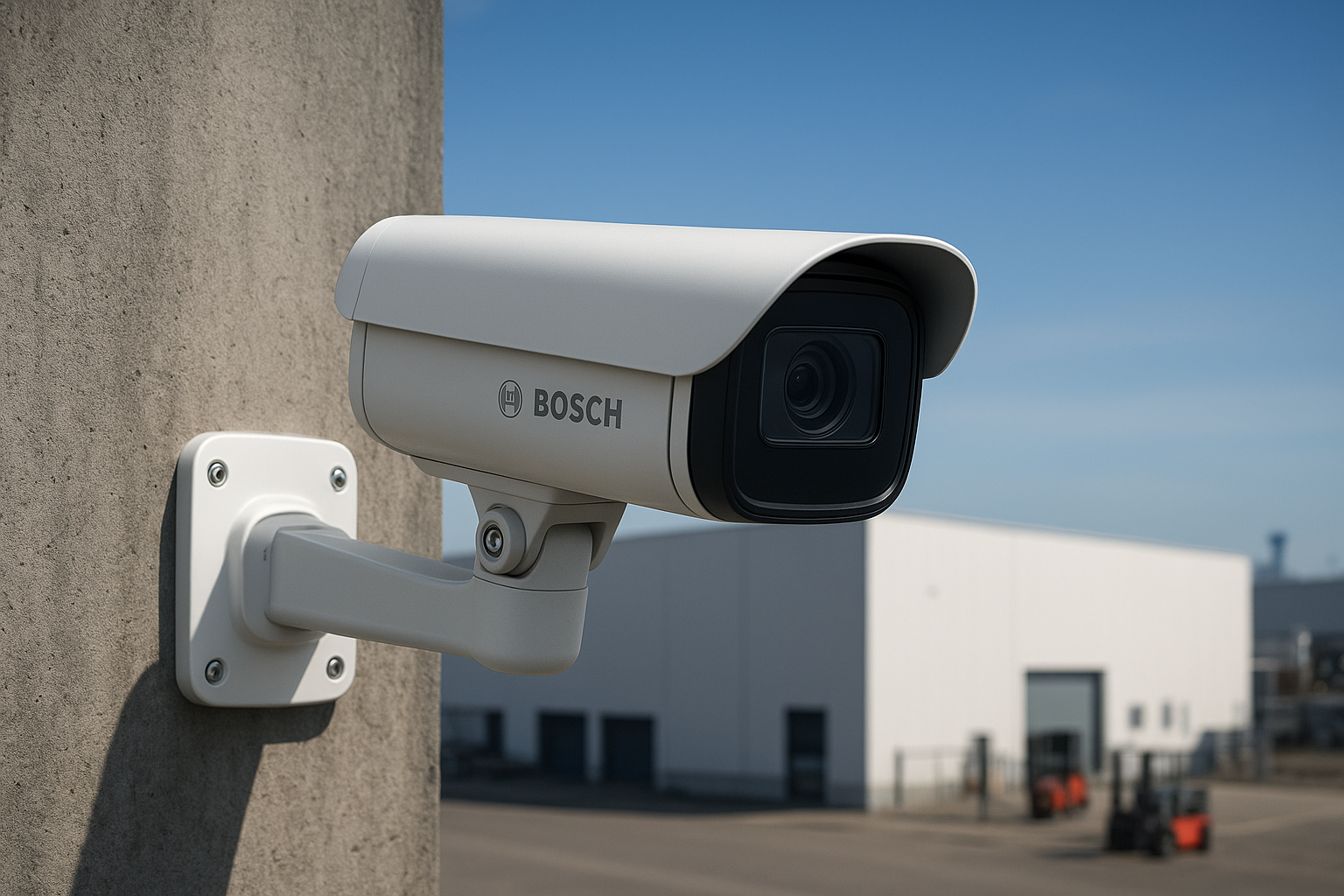
Bosch has manufactured security and industrial equipment for over a century, and that engineering heritage carries directly into its camera lineup. German-engineered hardware built for durability under harsh conditions makes Bosch a familiar name in industrial, government, and critical infrastructure projects where cameras need to survive extreme temperatures, vibration, or exposure to dust and moisture. Among commercial security camera systems built for longevity over flashy features, Bosch consistently earns a spot on procurement shortlists for facilities that plan to run hardware for a decade, not three years.
Key features
Intelligent Video Analytics run directly on the camera rather than a central server, which reduces the network load competing systems place on your infrastructure. Essential Video Analytics ships standard on most models, flagging loitering, object removal, and line crossing without an extra licensing tier.
- On-board analytics for intrusion, loitering, and object detection
- Starlight technology for low-light and near-total darkness imaging
- Rugged IP66/IP68-rated housings for extreme temperature and weather exposure
- Bosch Video Management System (BVMS) for centralized multi-site control
- Cybersecurity certifications meeting government and critical infrastructure standards
Hardware built to survive a decade of harsh conditions outperforms flashy specs that fade after year two.
Best for
Government facilities and industrial or infrastructure-adjacent commercial properties get the most out of Bosch, since the rugged housings and analytics stand up to outdoor exposure most consumer-grade brands can’t handle. Hospitals with mechanical rooms, loading docks, or exterior perimeters exposed to weather also benefit from cameras engineered specifically for that kind of punishment.
Pricing
Bosch pricing sits in the mid-to-premium range, generally close to Axis and Avigilon. Fixed cameras typically start around $350, while PTZ and multi-sensor models with built-in analytics run $800 to $2,000. A 25-camera deployment with BVMS licensing and NVR storage commonly lands between $35,000 and $60,000 before installation labor.
Installation and integration considerations
Because Bosch cameras often serve exterior and industrial roles, conduit and weatherproofing deserve extra attention during the cabling phase, since a rugged camera still fails if the protected cable pathways behind it aren’t handled the same way. BVMS setup also requires licensing decisions upfront, similar to Axis, so integrators need to map out how many channels and what analytics tiers a facility actually needs before ordering hardware. Government clients should confirm current cybersecurity certifications align with their specific procurement requirements before finalizing a purchase order.
9. Lorex
Lorex built its brand on the retail security camera market, selling through outlets like Costco and Best Buy long before it pushed into the commercial space, and that consumer heritage still shapes the product line today. Budget-focused hardware with surprisingly strong resolution specs makes Lorex a common pick for small commercial storefronts and offices that need real coverage without an enterprise price tag. Among security camera systems aimed at price-sensitive buyers, Lorex holds a place on this list because it delivers dependable image quality at a fraction of what Axis or Bosch charge.
Key features
High-resolution sensors paired with local storage define the Lorex approach more than any advanced analytics engine. 4K Ultra HD imaging ships standard across most of the current lineup, giving small businesses sharper footage for identifying faces or license plates than older budget cameras managed even a few years ago.
- 4K resolution across most current camera models
- Local NVR storage with no mandatory subscription fee
- Color night vision on select models for usable footage after dark
- Smart motion detection for person and vehicle alerts
- Simple mobile app for remote viewing across one or several sites
A budget camera with sharp resolution still beats a premium name paired with a rushed installation.
Best for
Small commercial properties, single-location retail stores, and multifamily buildings with tight capital budgets get the best fit from Lorex. It also suits facilities that want straightforward local recording without ongoing licensing costs, since the product wasn’t built around a cloud subscription model the way Verkada or Rhombus were.
Pricing
Lorex undercuts nearly every enterprise brand on this list. Individual cameras typically run $100 to $350, and NVR kits bundling eight to sixteen cameras with a recorder commonly cost $1,500 to $4,000. A 25-camera commercial deployment with adequate NVR storage usually totals $10,000 to $20,000 before installation labor, putting it close to UniFi Protect on affordability.
Installation and integration considerations
Lorex lacks the open API architecture and third-party VMS compatibility that hospitals and government facilities often require for procurement compliance. Cable run planning matters here too, since Lorex kits ship with proprietary connectors on some models that don’t always match the commercial-grade structured cabling already in place. Facilities scaling past a single small building should weigh whether Lorex’s simpler feature set still meets coverage and retention needs before committing budget to it.
10. ADT Commercial
ADT built its name on residential alarm monitoring, and its commercial division carries that same monitoring-first philosophy into video surveillance. Managed monitoring services set ADT apart from every other brand on this list, since the company pairs cameras with a live team watching for alerts rather than leaving a facility manager to review footage alone. For businesses that want a security camera systems provider bundled with round-the-clock human oversight instead of just hardware, ADT Commercial fills that niche.
Key features
Human monitoring backed by nationwide infrastructure defines the ADT approach more than any single camera specification. 24/7 professional monitoring means a trained operator reviews triggered alerts and can dispatch authorities directly, a service layer most camera-only brands simply don’t offer.
- Live monitoring centers reviewing alerts around the clock
- Cameras bundled with intrusion alarms and fire detection under one contract
- Mobile app access for remote viewing and alert management
- Nationwide service network for installation and ongoing support
- Integration options with access control and existing alarm panels
Cameras alone only record an incident. A monitored system can act on one while it’s still happening.
Best for
Small to mid-sized commercial properties without a dedicated security staff get the most value from ADT, particularly businesses that already want alarm and fire monitoring bundled with video rather than managing separate vendors. Retail storefronts and standalone offices that need someone watching after hours, without hiring in-house guards, also fit this model well.
Pricing
ADT Commercial pricing runs on a contract model rather than a straight hardware purchase. Installation costs vary by camera count and site complexity, but monthly monitoring fees typically range from $50 to $200 depending on coverage level and contract length, on top of equipment costs that commonly land between $2,000 and $15,000 for a small to mid-sized deployment. Multi-year contracts are standard, so read the termination terms closely before signing.
Installation and integration considerations
Contract terms deserve as much scrutiny as the equipment itself, since long-term service agreements can lock a facility into monitoring fees well beyond the hardware’s useful life. Nationwide technicians handle most installs, but facilities with complex infrastructure, hospitals or multi-building campuses, often find ADT’s standardized approach less flexible than a design-build integrator scoping the job from scratch. Businesses considering ADT should compare monitoring costs against a self-managed system with a local monitoring add-on before committing.
Choosing the system that fits your business
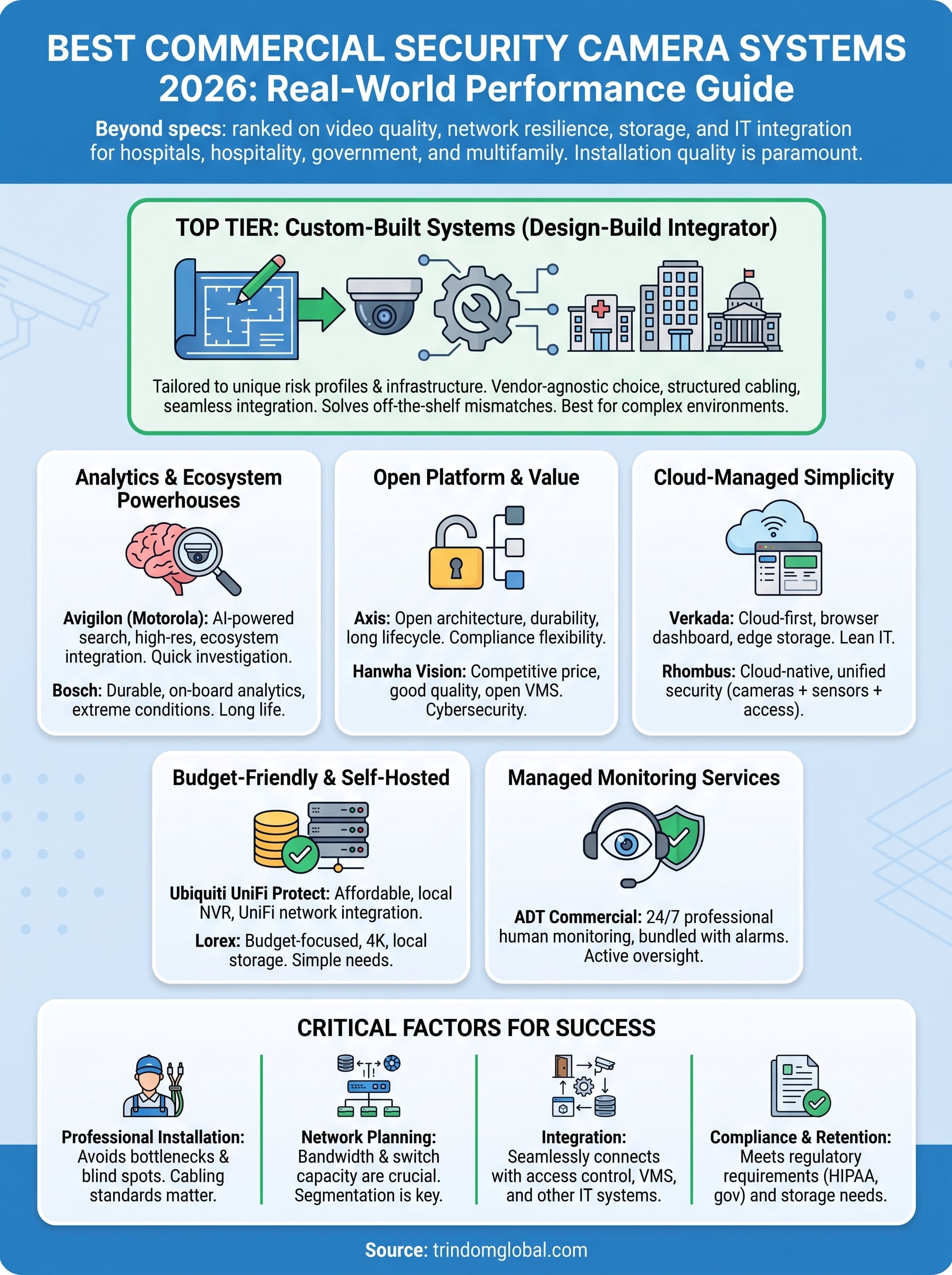
No single brand on this list wins every category, and that’s the point. Verkada and Rhombus fit lean IT teams that want cloud simplicity, Axis and Hanwha suit facilities needing open architecture on a range of budgets, and Bosch and Avigilon hold up in demanding industrial or analytics-heavy environments. Underneath all of it, the same rule applies: hardware only performs as well as the cabling, network segmentation, and installation behind it.
Questions worth asking before you commit include how many camera endpoints you actually need, what retention length your compliance requirements demand, and whether your existing network can handle the added load, which is exactly the ground infrastructure consulting for IT teams covers. Hospitals, government facilities, and multifamily campuses rarely fit a boxed solution cleanly, which is why a custom-built system often outperforms a single brand purchase. If your building has unique coverage gaps or legacy infrastructure, talk to Trindom Global’s design-build team about camera cabling and headend buildout engineered around your actual risk profile.


