

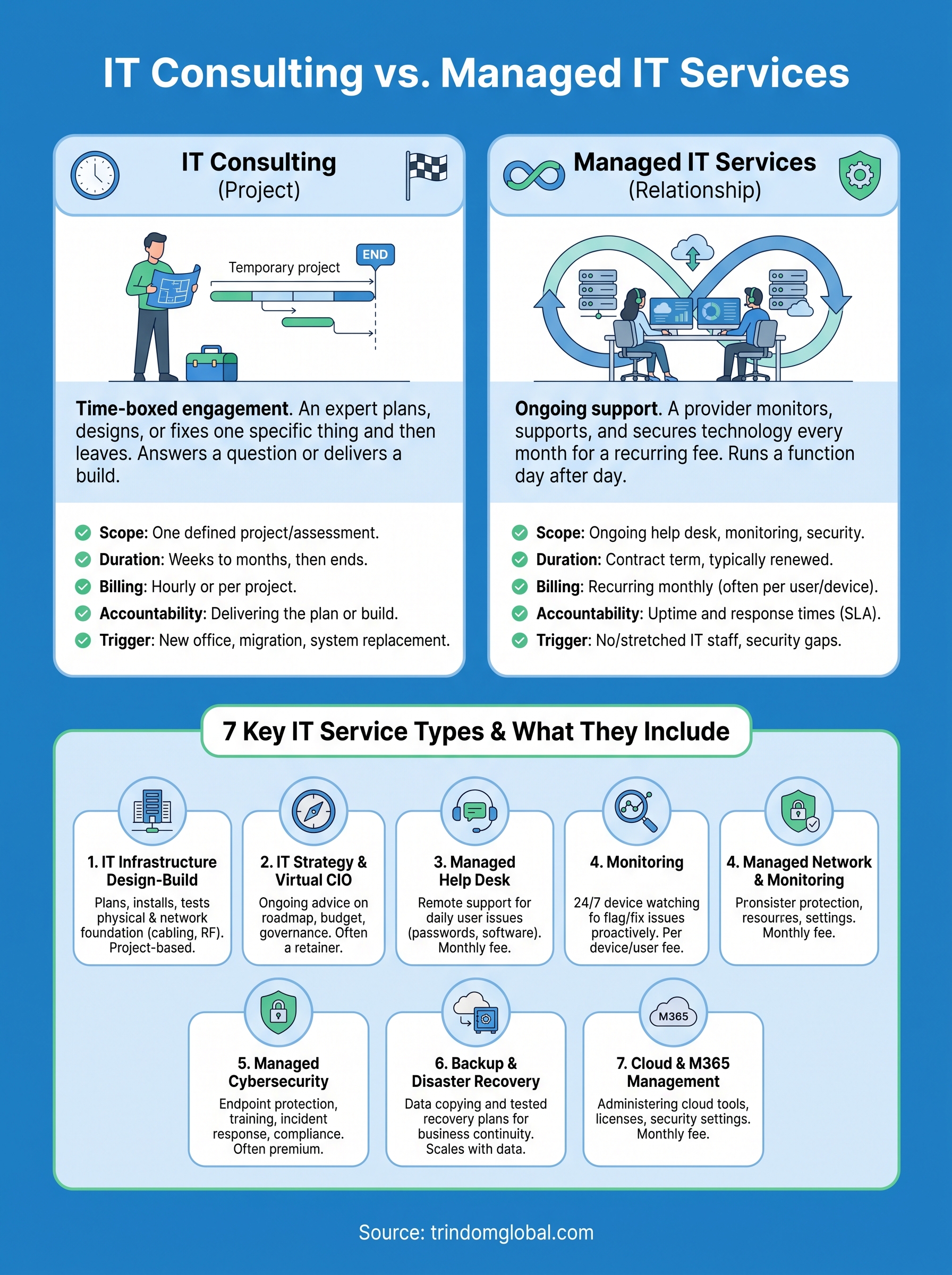
IT consulting and managed services solve different problems. Consulting is a project: an expert plans, designs, or fixes one specific thing and then leaves. Managed services are a relationship: a provider monitors, supports, and secures your technology every month for a recurring fee. Most businesses need both, consulting to design the right setup and managed services to keep it running.
A good provider spells out scope in writing, commits to response times, and can move from one phase to the next without losing context. Design-build consulting suits you if you are building or upgrading a facility. Virtual CIO consulting suits a growing company with no IT leader. Managed help desk, monitoring, security, backup, and cloud management suit teams too small to cover those jobs around the clock.
The trouble is that providers bundle and label these services differently, so two quotes rarely compare cleanly. This article sorts the seven service types you will actually be offered, shows what each includes and costs, and ends with a way to choose a provider. Trindom Global works on the infrastructure side, designing and installing the cabling, network, and RF systems that managed services run on, so the list starts there.
IT consulting vs. managed IT services at a glance
IT consulting is a time-boxed engagement billed per project or per hour. Managed IT services are ongoing support billed as a recurring monthly fee. Consulting answers a question or delivers a build, while managed services run a function day after day.
Side-by-side comparison
The table shows where the two diverge on the points that affect your budget and your contract.
| IT consulting | Managed IT services | |
|---|---|---|
| Scope | One defined project, assessment, or decision | Ongoing help desk, monitoring, security, backup |
| Duration | Weeks to months, then it ends | A contract term, typically renewed |
| Billing | Hourly or per project | Recurring monthly, often per user or per device |
| Accountability | Delivering the plan or the build | Uptime and response times set in an SLA |
| Typical trigger | New office, migration, system replacement | No IT staff, stretched IT staff, security gaps |
Notice that the trigger decides the choice. If you can describe your need as a project with an end date, you want consulting. If the need repeats every week, you want managed services.
Consulting answers a question or delivers a build, and managed services run the function afterward.
Co-managed IT and management consulting
Two hybrids blur the line. Co-managed IT keeps your in-house staff in charge while a provider adds coverage, tools, and specialists. IT management consulting, often delivered as a virtual CIO, advises on governance and budget without running daily support.
Most managed service providers also consult, but not every consultancy runs managed services. Ask which one you are buying. Using one team for both phases avoids a handoff where knowledge gets lost.
1. IT infrastructure design-build consulting
Design-build consulting plans, installs, and tests the physical and network foundation that every other IT service depends on. It is the consulting service closest to our own work, and it is where many managed contracts should start, because monitoring a badly cabled building only tells you it is failing.
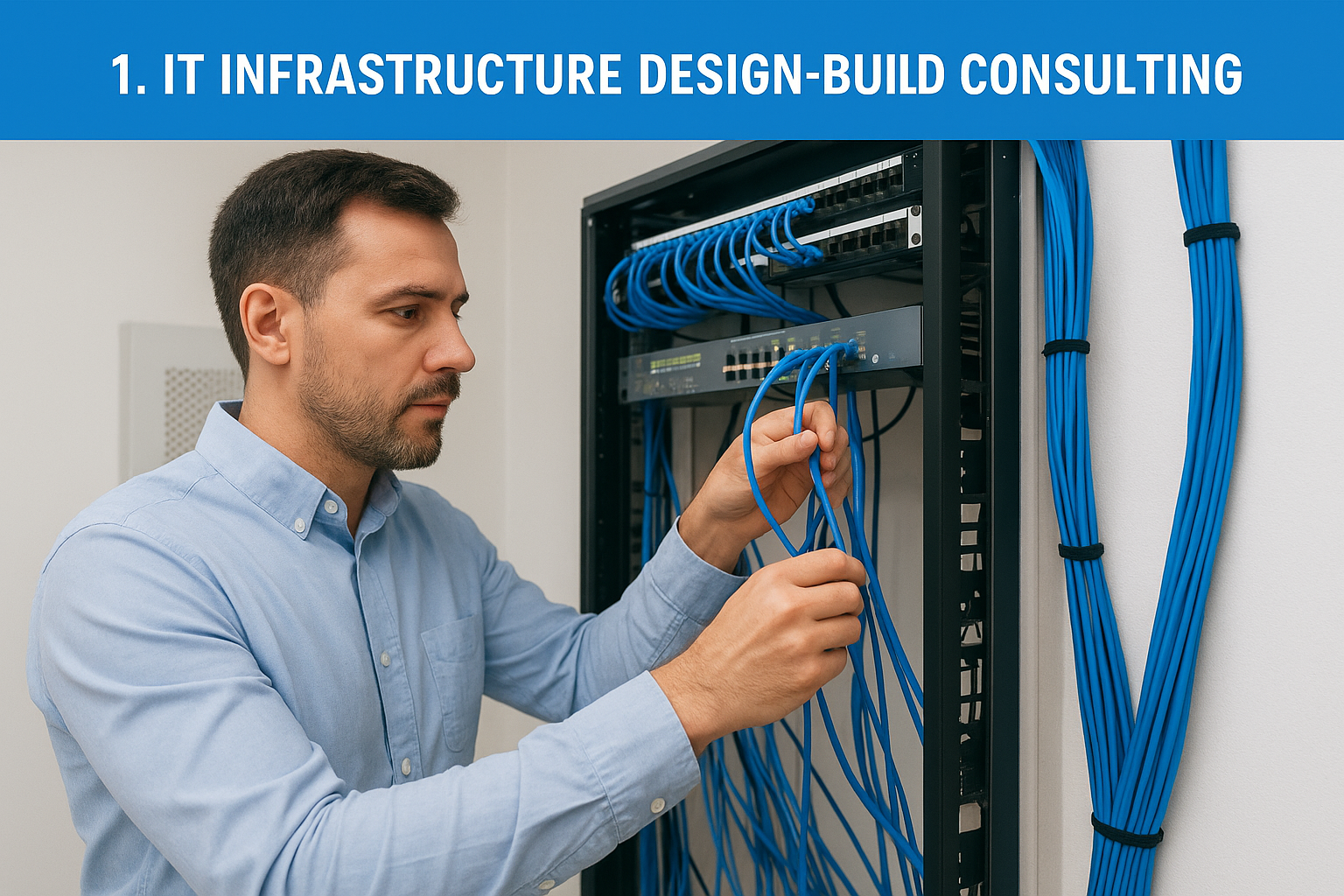
Managed services can only be as reliable as the cabling, network, and wireless they monitor.
What it includes
A design-build engagement covers the whole path from survey to sign-off. At Trindom Global, that means a dedicated project manager and tech team through each stage.
- A site survey to qualify what the project needs
- Design of structured cabling, headend, RF, and network systems
- Installation and integration by certified, licensed technicians
- Testing against the customer’s requirements, then sign-off
- Project management with regular updates and reports
Who it suits
Hospitals, hotels, schools, multifamily campuses, and government sites benefit most. Any organization opening a building, replacing aging cable, or adding wireless coverage has a design-build problem.
Trindom Global is also a certified minority and women-owned business, which matters when a procurement requires MWBE vendors. Pair design-build work with a managed provider for ongoing support.
Typical cost
Expect a per-project quote after a site survey, not a monthly fee. Square footage, cable counts, equipment, and compliance requirements drive the price. Ask for labor, materials, and testing as separate lines so you can compare bids honestly.
2. IT strategy and virtual CIO consulting
Strategy consulting sets your technology plan, budget, and vendor choices. A virtual CIO (vCIO) does the same on an ongoing, part-time basis. It is advice, not hands-on support, and it keeps you from buying reactively.
A technology plan written before the emergency costs far less than the emergency.
What it includes
The deliverable is a plan you can hold people to.
- An IT roadmap tied to business goals
- Budget forecasting and equipment replacement schedules
- Vendor and tool selection
- Security and risk assessment
- Scheduled reviews with leadership, at least annually
Who it suits
Growing companies with no CIO or IT director gain the most. It is also useful before an acquisition, a major system purchase, or a leadership change, when an outside opinion is cheap insurance.
If you already have a strong internal IT lead, a one-time assessment may be all you need. A standing vCIO retainer pays off only if you act on the advice.
Typical cost
Assessments are billed hourly or per project. A vCIO is usually a monthly retainer, and some providers fold it into higher managed service tiers. Ask what deliverables the retainer includes, such as a written roadmap and a set number of review meetings.
3. Managed help desk and end-user support
Managed help desk gives your staff a team to contact for password resets, software problems, and device failures, with response times set in an SLA. It is the part of managed IT most people picture first, and it is where you feel the value daily.
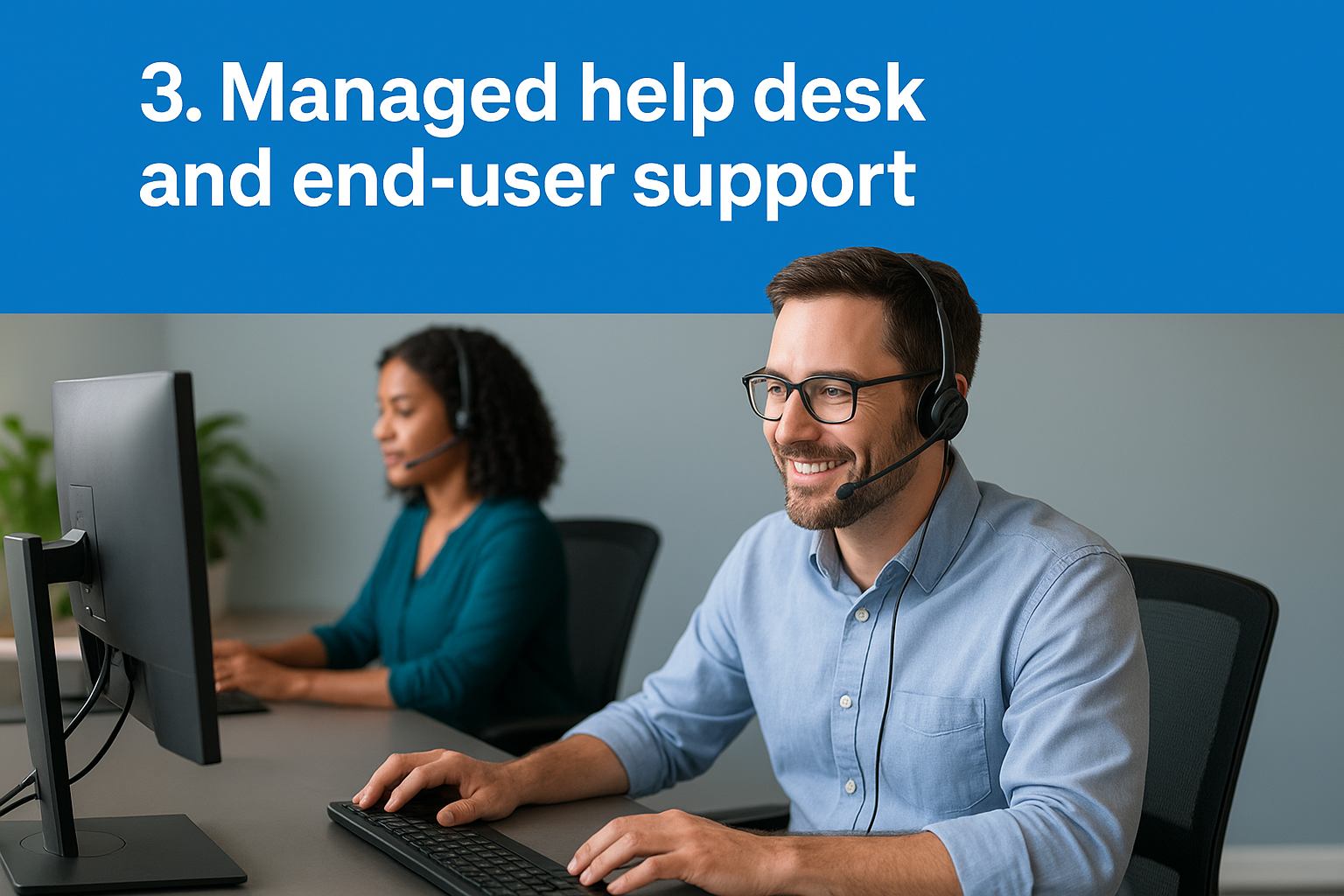
A help desk is only as good as the response time the provider will put in writing.
What it includes
Scope varies, so check each line against the contract.
- Remote support by phone, chat, or ticket
- On-site visits for hardware problems
- Real-time status on open requests
- Account setup and removal for new and departing staff
- Support for the software your team uses daily
Who it suits
Companies with no IT staff get a full department for a flat fee. Companies with one overloaded IT person use it to cover urgent requests and after-hours needs.
A typical managed SLA promises a response within one to four hours. Faster commitments exist, but get them in the contract, not the sales deck.
Typical cost
Help desk usually sits inside an all-in per-user monthly fee. For small businesses that fee runs roughly $110 to $200 per user per month in 2026, covering support plus monitoring and maintenance. Ask what is excluded, because projects are usually billed separately.
4. Managed network and infrastructure monitoring
Network and server monitoring watches your devices around the clock, flags failing components, and sends a technician before users notice. It turns surprise outages into scheduled maintenance, which is the real promise of proactive IT.
Monitoring tools find problems, but only a staffed response team fixes them.
What it includes
Look for people behind the dashboards, not just software.
- 24/7 monitoring of servers, workstations, cloud services, and connected devices
- Patching and software updates on a schedule
- Firewall and wireless management
- Network diagrams and an inventory of hardware and licenses
- Replacement planning based on device age and warranty
Who it suits
Multi-location businesses, clinics, hotels, and anyone whose downtime costs revenue by the hour benefit most. If your network was built by several vendors over the years, documentation alone is worth the contract.
It works best on a sound foundation. A provider can monitor poor cabling, but it cannot fix it without a design-build project.
Typical cost
Pricing is per user or per device, so confirm which model you are quoted. Many sites and servers push the price up, while a single office of laptops keeps it low. Compare quotes on devices covered, not headline price.
5. Managed cybersecurity
Managed cybersecurity adds endpoint protection, email filtering, monitoring, and staff training to your IT support. The goal is not to stop every attack, which no company can do. The goal is to be a harder target than the next one.
Security bought as an add-on module leaves gaps exactly where IT and security teams stop talking.
What it includes
Training matters as much as software, because most attacks start with a person.
- Endpoint detection and response
- Firewall, spam, and antivirus protection
- Security awareness training and phishing tests
- Multi-factor authentication and password management
- A documented incident response plan
- Compliance support for frameworks such as PCI DSS, CMMC, and HIPAA IT compliance
Who it suits
Every business with email needs a baseline. Healthcare providers, financial firms, and government contractors need documented programs that satisfy auditors.
IBM’s Cost of a Data Breach Report 2025 put the average U.S. breach at $10.22 million. Most small businesses face smaller losses, but a documented program also helps if a client or regulator asks what you did to prevent one.
Typical cost
Some providers include baseline security in the monthly fee, while others sell it as a premium tier. Compliance requirements raise the price, with quotes reaching roughly $400 per user per month in regulated settings. Ask exactly which tools and monitoring hours are included.
6. Backup and disaster recovery
Backup copies your data. Disaster recovery gets your business running again after a loss. A managed service covers both, including the testing most businesses skip.

A backup you have never restored is a hope, not a plan.
What it includes
The test is whether you can restore, not whether copies exist.
- On-site and cloud backups
- Scheduled restore tests
- A documented, tested recovery plan
- Redundant internet and failover options
- Backup hardware and emergency power where needed
Who it suits
Any business that cannot survive several days offline needs this, and healthcare and finance carry extra recordkeeping duties. If you have no written recovery plan today, start here.
Two terms belong in every contract. Recovery time objective is how long you can be down. Recovery point objective is how much recent data you can afford to lose.
Typical cost
Price scales with storage volume and recovery speed. It is often a separate line or part of a security bundle. Faster recovery and tighter data-loss limits cost more, so set targets from your actual business needs, not from the provider’s default.
7. Cloud and Microsoft 365 management
Cloud management means administering Microsoft 365, Google Workspace, Azure, or AWS for you, including licensing, user setup, security settings, and cost control. Migrations are usually consulting projects, and the ongoing administration is managed service.
Cloud tools are only as secure and cost-efficient as their settings, and defaults are rarely right.
What it includes
Both the move and the upkeep matter.
- Tenant administration and license management
- Identity, access, and multi-factor settings
- Email, file, and server migrations
- Periodic cost and license reviews
- Security review and a usage policy for AI tools such as Copilot
Who it suits
Companies moving off on-premises servers, adopting Microsoft 365, or paying for licenses nobody uses gain the most. Firms that adopted AI tools one department at a time also need someone governing how those tools touch client data.
If your stack is mostly one vendor, favor a provider with depth there. A Microsoft specialist helps less if you run Google Workspace.
Typical cost
Migrations are priced per project from the number of users, mailboxes, and data volume. Ongoing administration usually sits inside the per-user managed fee. Vendor license costs are typically separate, so ask for both lines in writing.
How to choose a provider and what to budget
Choose by matching the provider’s scope to your actual problem, then testing the contract details. Decide first whether you have a project, a function to outsource, or both. Then compare providers on written commitments, not on promises.
Questions to ask before you sign
These questions separate a real partner from a vendor that disappears after signing.
- What response times are in the SLA, and what happens if they are missed?
- What is excluded from the monthly fee, such as projects and on-site visits?
- Is security included or a premium tier?
- Do you have experience with my compliance requirements?
- Will I own my documentation, passwords, and admin accounts if I leave?
- What are the contract length and exit terms?
- Can the same team handle consulting and ongoing support?
Ask for references in your industry. Global IT services and consulting companies such as IBM and Accenture bundle consulting and managed services, but they are built for enterprises and rarely fit a small company.
What IT services cost compared
These are industry ranges, and your price will shift with region, scope, and compliance needs.
| Model | Typical pricing | What drives the price |
|---|---|---|
| IT consulting | Hourly or per project | Scope, specialty, project length |
| Managed IT services | About $110 to $200 per user per month | Users, devices, service scope |
| Managed IT with compliance | Up to roughly $400 per user per month | HIPAA, CMMC, or PCI DSS requirements |
| Co-managed IT | $60 to $250+ per user per month, plus project fees | How much your internal team keeps |
| In-house IT hire | $8,000 to $14,000+ per month in salary and benefits | One person’s coverage and skills |
Here is a worked example. A 25-person company pays roughly $2,750 to $5,000 per month for managed IT, or $33,000 to $60,000 per year. One in-house hire at $8,000 to $14,000 per month costs $96,000 to $168,000 per year, and still leaves you with a single person who takes vacations.
Judge a quote by what it covers and excludes, not by the monthly number alone.
Pick the support that matches your problem
IT consulting solves a defined problem with a start and an end. Managed services keep a function running every month. Most organizations need consulting first, to design infrastructure, strategy, or a migration, and managed services afterward, to keep it healthy. Match the service type to your trigger, put response times and exclusions in writing, and favor a provider that can carry work from one phase to the next.
If your next step is a new build, an upgrade, or a cabling and network project that managed services will later depend on, start with the foundation. You can talk to Trindom Global about your infrastructure project and get a scoped plan before you commit to ongoing support.


